Setting Up Damn Vulnerable Web Application (DVWA)
02 Apr 2017
.
tech
.
Comments
#security
#redteam
Ever wanted to practice your web security skills without the risk of breaking the law or damaging real systems? That’s exactly what Damn Vulnerable Web Application (DVWA) was designed for.
DVWA is a deliberately insecure PHP/MySQL web application that serves as a safe playground for security professionals, web developers, students, and educators. Think of it as a controlled environment where you can experiment with real-world vulnerabilities without any legal or ethical concerns.
The beauty of DVWA is that it provides a straightforward interface to practice the most common web vulnerabilities at different difficulty levels. It includes both well-documented vulnerabilities (perfect for learning) and some undocumented ones (great for testing your discovery skills). This encourages you to think like both an attacker and a defender.
Getting Started with DVWA
I recommend setting up DVWA on Kali Linux since it comes with most of the security tools you’ll need pre-installed. DVWA requires Apache and MySQL, which are already included with Kali, making the setup process much smoother.
Step 1: Download and Extract DVWA
wget https://github.com/ethicalhack3r/DVWA/archive/master.zip -O dvwa.zip
unzip dvwa.zip
Step 2: Start Required Services
service apache2 start
service mysql start
Step 3: Deploy DVWA
mv DVWA-master /var/www/html/dvwa
cd /var/www/html
chmod -R 755 dvwa/
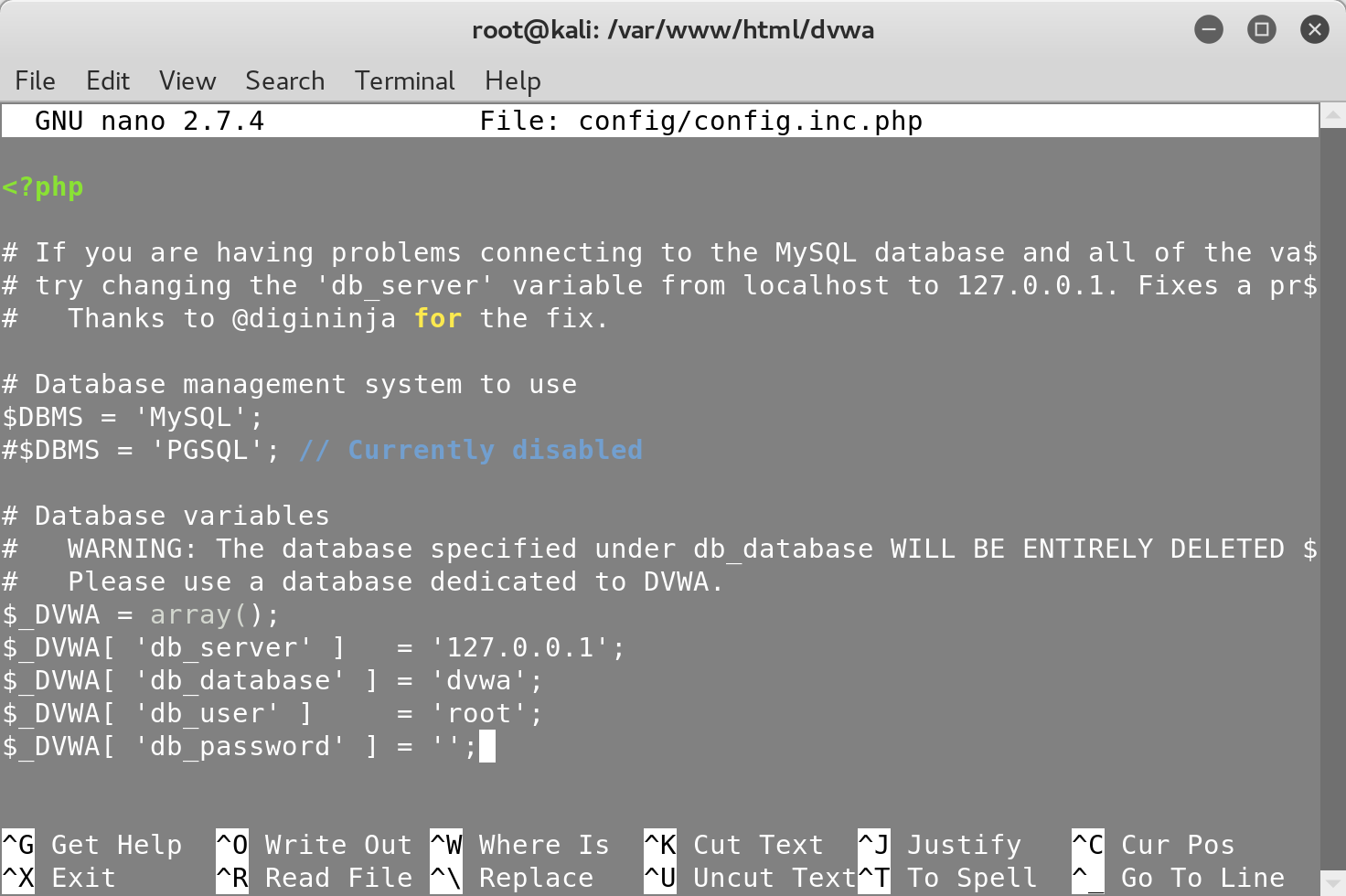
Step 4: Configure the Database
After completing the setup, you’ll need to update the MySQL password in the DVWA
configuration file to create the dvwa database:
Step 5: Access and Configure DVWA
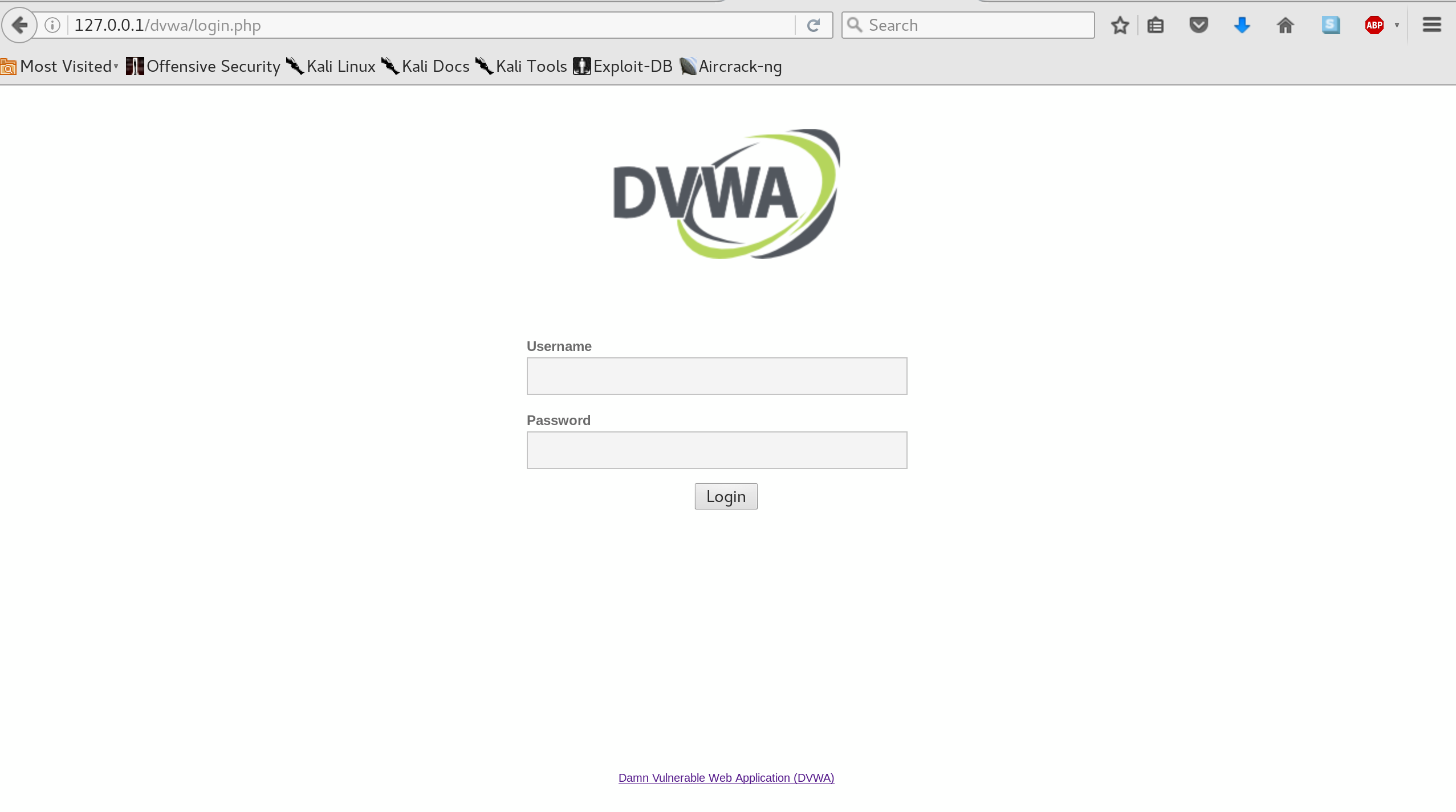
You can now access the login page by visiting http://127.0.0.1/dvwa. I
recommend starting with the default credentials (admin/password) and setting
the security level to low under the ‘DVWA Security’ tab. This will give you
access to the most straightforward vulnerabilities to begin learning:
Important Security Reminders
⚠️ Never expose this web application on a public network - it’s designed to be vulnerable!
⚠️ Always reset the security level to impossible when you’re done
practicing.
What’s Next?
In the next post, we’ll dive into our first vulnerability exploitation - using brute force techniques to gain access to the application without knowing the password. This will give you hands-on experience with one of the most common attack vectors in web security.
Ready to start your ethical hacking journey? Let me know if you run into any issues during the setup process!

Panos is an engineering leader at Databricks, with over a decade of experience in cybersecurity and engineering leadership. His career includes security research at CERN, security engineering at Microsoft Office 365, and founding Blocktopus, a KYC/AML startup. He holds patents, has published research in security and machine learning, and has helped scale startups from pre-seed through Series B. On this blog, he writes about security, leadership, and developer productivity.