Hiding Your MAC and IP Addresses
24 Mar 2017
.
tech
.
Comments
#security
#redteam
Welcome to the start of my #redteam series! In these posts, I’ll walk you through various penetration testing techniques using Kali Linux as our platform. Kali comes pre-loaded with all the tools we’ll need, making it perfect for this type of work.
You can run Kali in a VM or on a USB stick - I actually prefer the USB approach since it allows you to boot on any workstation without leaving digital traces behind.
The Goal: Stealthy Access
In this series, we’ll explore techniques for gaining access to resources while remaining undetected. The key principle is that the resource owner shouldn’t be able to tell that we’ve accessed their systems.
Step 1: Hiding Your MAC Address
Your MAC address is like a unique fingerprint for your network interface - it
can be logged by network providers (think Starbucks WiFi, hotel networks, etc.).
To avoid being tracked this way, we’ll use macchanger to randomly change your
MAC address.
If you’re using WiFi, run these commands:
ifconfig wlan0 down
macchanger -r wlan0 # -r for asking for a random MAC
ifconfig wlan0 up
If you’re using Ethernet, just replace wlan0 with eth0. Pro tip: you can add
these commands to your bash profile so you never forget to run them
automatically.
Step 2: Hiding Your IP Address
While you can’t directly spoof your IP address, you can route your traffic through proxy servers to make it much harder for third parties to trace back to your original location.
The proxychains tool makes this process incredibly easy - you can route any
network request through a proxy with just a simple command prefix.
Let’s start by checking your current IP address:
curl https://ipv4.icanhazip.com/
# 193.71.106.208
By default, proxychains uses the Tor network as a proxy, so let’s start the
Tor service:
service tor start
Now you can route any network command through the proxy by simply adding
proxychains before it. For example, if you want to perform a network scan:
proxychains nmap -sS 192.168.1.0/24
Let’s test it by checking our IP address through proxychains:
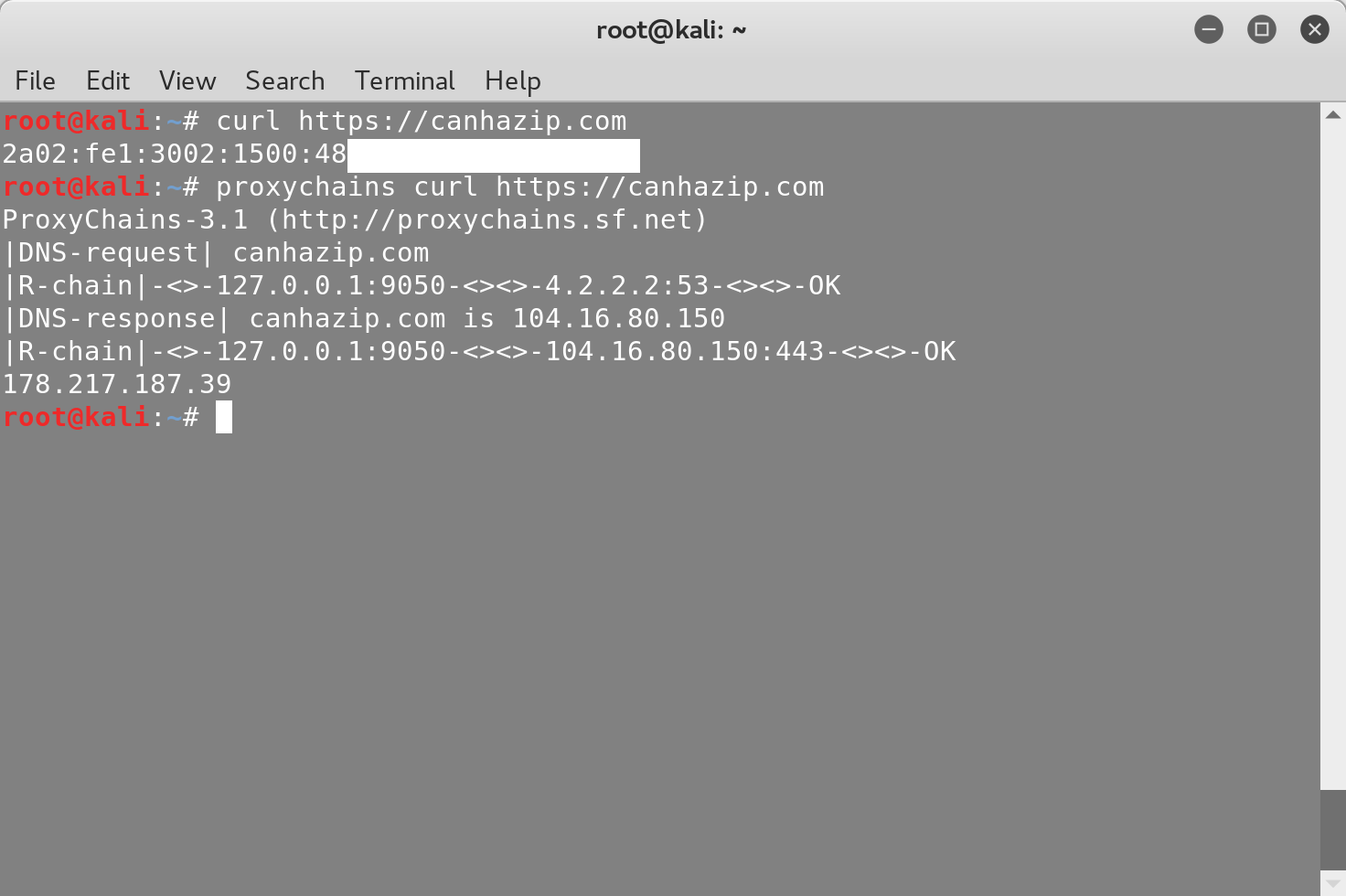
You can verify that your new IP is actually a Tor exit node by checking it here.
Advanced: Chaining Multiple Proxies
For even more anonymity, you can chain multiple proxies together. Edit the proxychains configuration file:
nano /etc/proxychains.conf
Here’s an example of adding a proxy in Venezuela to your chain:
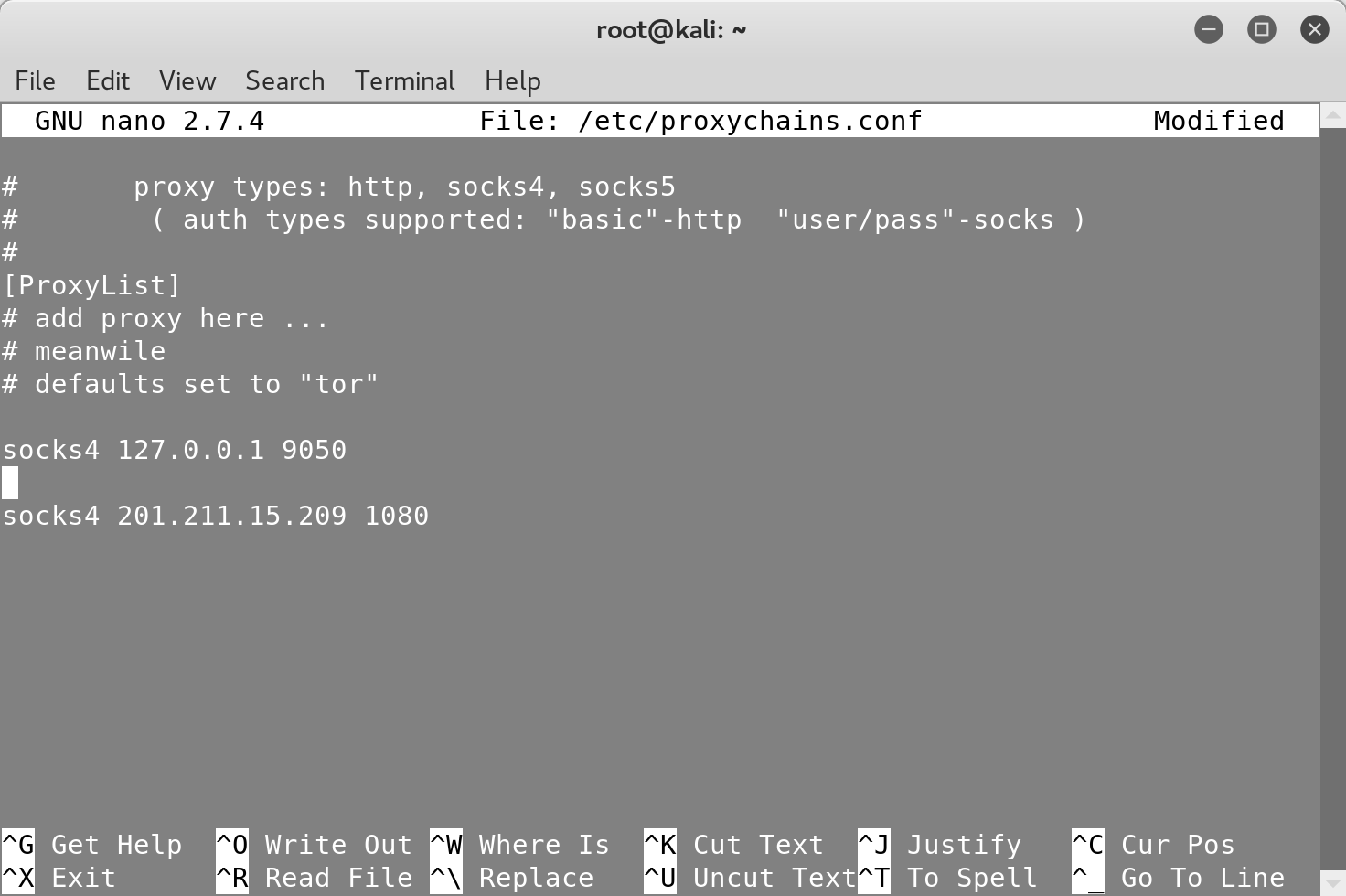
You can add as many proxies as you want to make tracing your original IP even more difficult.
Randomizing Your Proxy Chain
For maximum stealth, you can randomize the order of your proxy chain by
commenting out strict_chain and uncommenting random_chain:
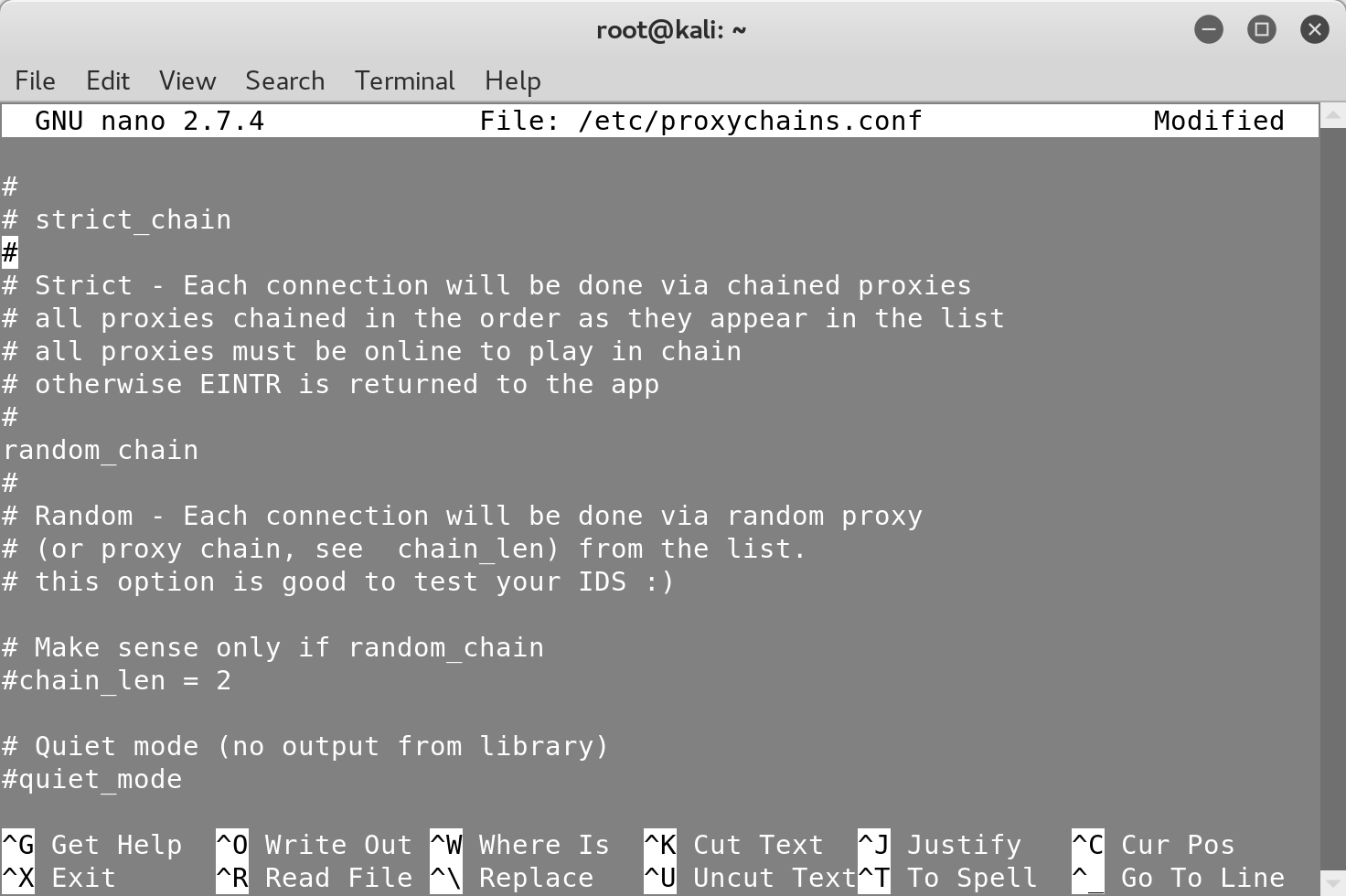
Now your traffic will randomly route through either the three Tor nodes first, then the Venezuela proxy, or vice versa - making your traffic patterns even more unpredictable.
What’s Next?
In the next post, we’ll set up DVWA (Damn Vulnerable Web Application) and start exploring web application vulnerabilities. This will give you hands-on experience with some of the most common security issues found in real-world applications.
Have you used proxychains before? What’s your preferred setup for maintaining anonymity during security testing?

Panos Sakkos is an engineering leader at Databricks with 15 years of experience across research, cybersecurity, and engineering leadership. He has worked on security research at CERN and security engineering for Microsoft Office 365, and founded Blocktopus, a KYC/AML startup. He holds patents, has published research in security and machine learning, and has helped startups scale from pre-seed through Series B. On his blog, he writes about security leadership and developer productivity.